How to Analyse Temperature Data CSV Files for UK Audits
Short answer: to analyse a temperature data CSV, open the export in a spreadsheet, confirm the timestamp and unit columns, sort the readings by time, then flag any point outside your safe range and any gap in the record. Keep the matching PDF alongside it so an auditor sees the same story in a format they cannot edit.
If you look after a pharmacy fridge or a vaccine store, you already know that audits want a complete temperature record, and a handwritten sheet or a phone screenshot is not accepted. A downloadable CSV, backed by a PDF, is what turns "we think it was fine" into evidence. This guide walks through exactly what to check.
What matters when you analyse a temperature data CSV
- Confirm the units (°C not °F) and the sampling interval before you trust a single figure.
- Look for the two failure modes auditors care about: readings outside the limit, and missing time gaps where the record simply stops.
- Keep the raw CSV for analysis and the auto-generated PDF for the audit file — the pair is your due-diligence evidence.
- Enough onboard memory that a long study is never overwritten mid-record.
How do you download temperature data as a CSV?
With a USB logger the process is deliberately dull: stop the logger, plug it into any computer, and it appears as a drive holding a ready-made CSV and PDF. There is no driver to chase and no licence to renew. That "plug in and the report is just there" workflow is the whole point — you want the file the moment the shipment lands or the audit is booked, not after an IT ticket.
Reading the file without being misled
- Check the header row. Identify the timestamp column and the temperature column, and confirm the unit. A file that quietly logged in Fahrenheit will make a safe fridge look broken.
- Check the interval. One reading every 15 minutes tells a very different story from one every 4 hours. The interval decides how much detail — and how much memory — a study needs.
- Sort by time and scan for gaps. A break in the timestamps is itself a finding: it means the record stopped. An unbroken series is what makes the evidence defensible.
- Flag excursions. Add a column that marks any reading above or below your limit (for a pharmacy fridge, outside 2–8°C), then note the duration, because a brief blip and a two-hour breach are not the same event.
Turning the data into audit-ready evidence
Analysts live in the CSV; auditors prefer the PDF. Keeping both means you can investigate a trend in a spreadsheet and still hand over a tamper-resistant summary. The reason this matters is traceability: if a cold chain breaks, you have to be able to show which leg of the journey went wrong, and a continuous, timestamped file lets you point to the exact window. Store the files against the batch or shipment reference so the record can be retrieved months later.
Does EN12830 change how you analyse the data?
Not the maths, but it raises your confidence in the numbers. EN 12830:2018 is the European standard for temperature recorders used in the transport, storage and distribution of temperature-sensitive goods, covering the range −80°C to +85°C. Buying a certified recorder rated to ±0.5°C means the excursions you flag are real, not sensor noise — which is exactly what an auditor will probe.
A logger that hands you the CSV and the PDF
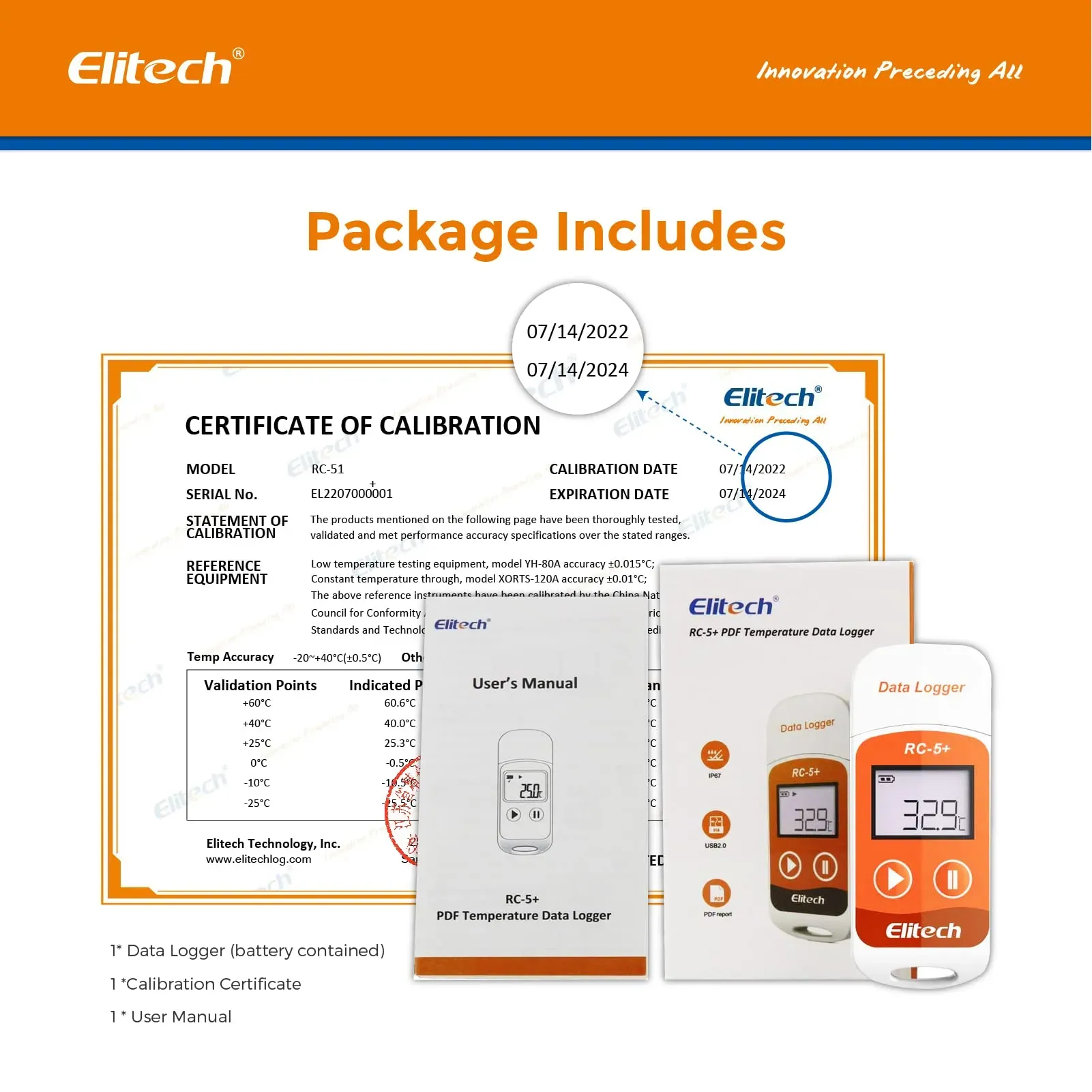
If your priority is producing clean, defensible files without wrestling software, the tool matters as much as the method. The Elitech RC-5+ USB Temperature Data Logger is sold as a 5-pack for £45.47 with free UK delivery. It is EN12830 certified, accurate to ±0.5°C between -20°C and +40°C (±1.0°C outside that band), stores 32,000 readings, and lets you set a logging interval from 10 seconds to 24 hours. On arrival you plug it into any computer and it generates a PDF and CSV report automatically, with no software to install, and the user-replaceable CR2032 battery lasts around six months. It is CE/RoHS marked and comes with 30-day returns and a 12-month UK warranty.
Get audit-ready PDF and CSV from every logger, automatically
View the Elitech 5-pack — £45.47Frequently asked questions
How do I analyse temperature data from a CSV file?
Open the CSV in a spreadsheet, confirm the timestamp and temperature columns and the unit, then sort by time. Scan for gaps where the record stops and flag any reading outside your safe range, noting how long each excursion lasted. Keep the matching PDF report in your audit file as tamper-resistant evidence.
What software do I need to read a USB temperature logger's CSV?
None for basic reading. A plug-and-play USB logger like the Elitech RC-5+ appears as a drive with a ready-made CSV and PDF, so any computer with a spreadsheet can open it. That avoids the download friction that makes teams abandon otherwise good hardware.
How do I prove a cold chain did not break using the data?
Use an unbroken, timestamped series at a sensible interval (for example every 10-15 minutes). A continuous record with every reading inside your limit is the proof; a gap in the timestamps or an out-of-range window shows exactly where and when a problem occurred.
How much logger memory do I need for a long study?
Match memory to interval and duration: a 32,000-reading logger recording every 15 minutes captures several weeks without overwriting older data, so a long audit period is never lost mid-record.
Ready for audit-ready temperature records?
Free UK delivery · 30-day returns · 12-month warranty · EN12830 certified
Shop Elitech USB 5-Pack — £45.47